Sentry Lite · Hospitality POS
A simpler POS, built for hospitality.
Orders, self-ordering and everyday operations — brought together in one simple system.
For cafés, restaurants, takeaway and small hospitality businesses.
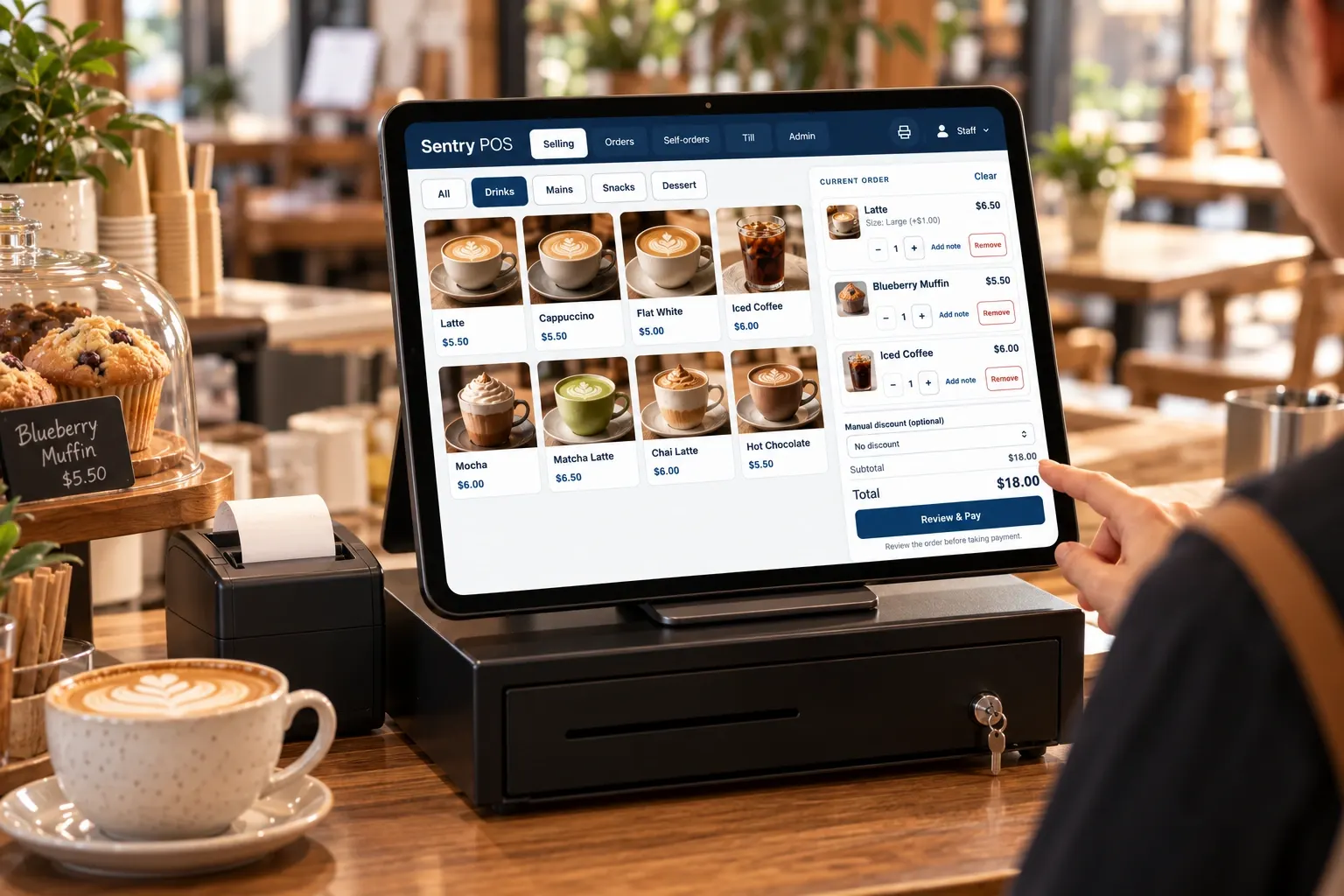
Sentry Lite
Simple, practical POS software for hospitality.
Sentry Lite gives your team the tools they reach for every shift — taking orders, sending them to the kitchen and closing out the day — without burying them under features you’ll never use.
Focused by design
A clear selling screen with the essentials up front, so your team can find what they need in the middle of a busy service.
Counter and table, together
Orders taken at the counter and orders placed by customers at the table come through the same system.
Ready for real service
Receipt printing, kitchen printing and cash drawer support for everyday trading.
At the counter
Everything your counter needs. Nothing it doesn’t.
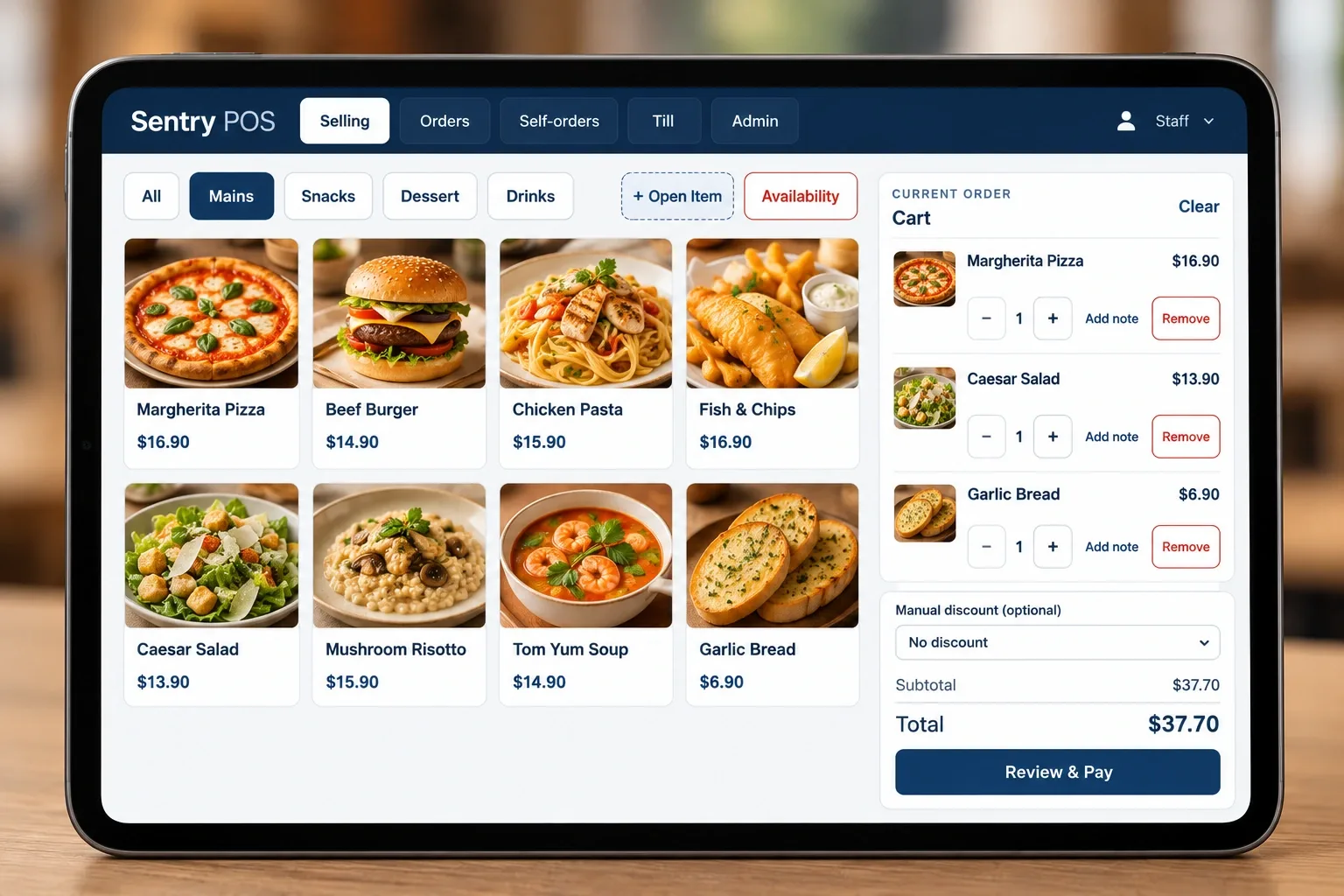
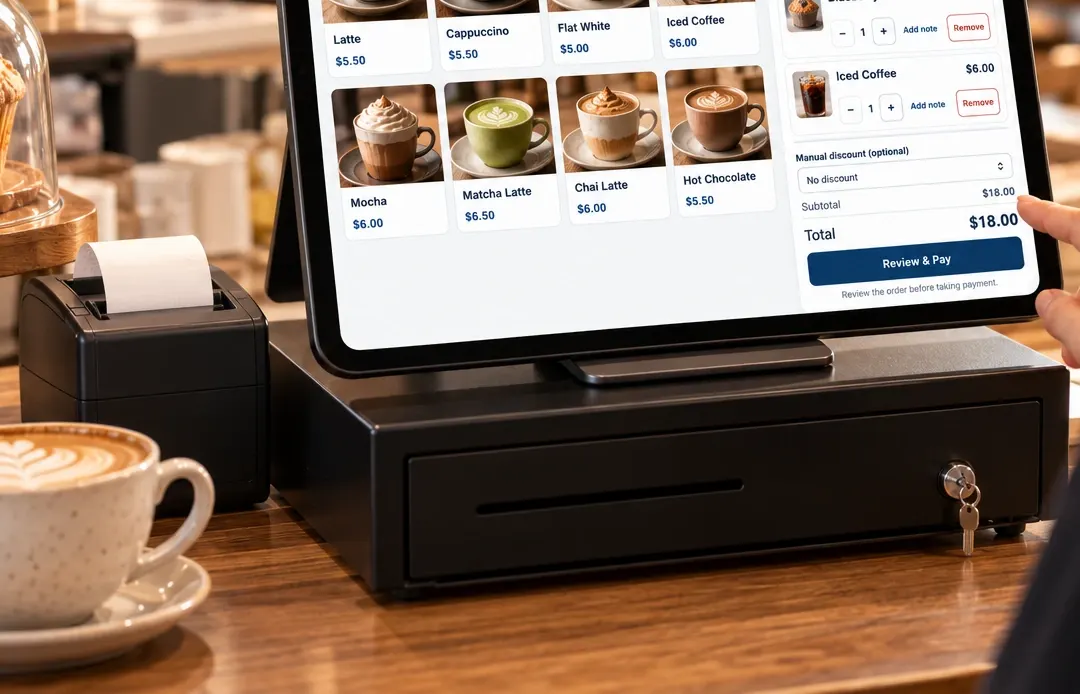
Take dine-in and takeaway orders from one clear screen. Move between menu categories, add options and notes, apply a discount and review the order before payment.
- Dine-in and takeaway orders
- Simple menu navigation by category
- Product options and modifiers
- Quantities and order notes
- Discounts
- Order management and order history
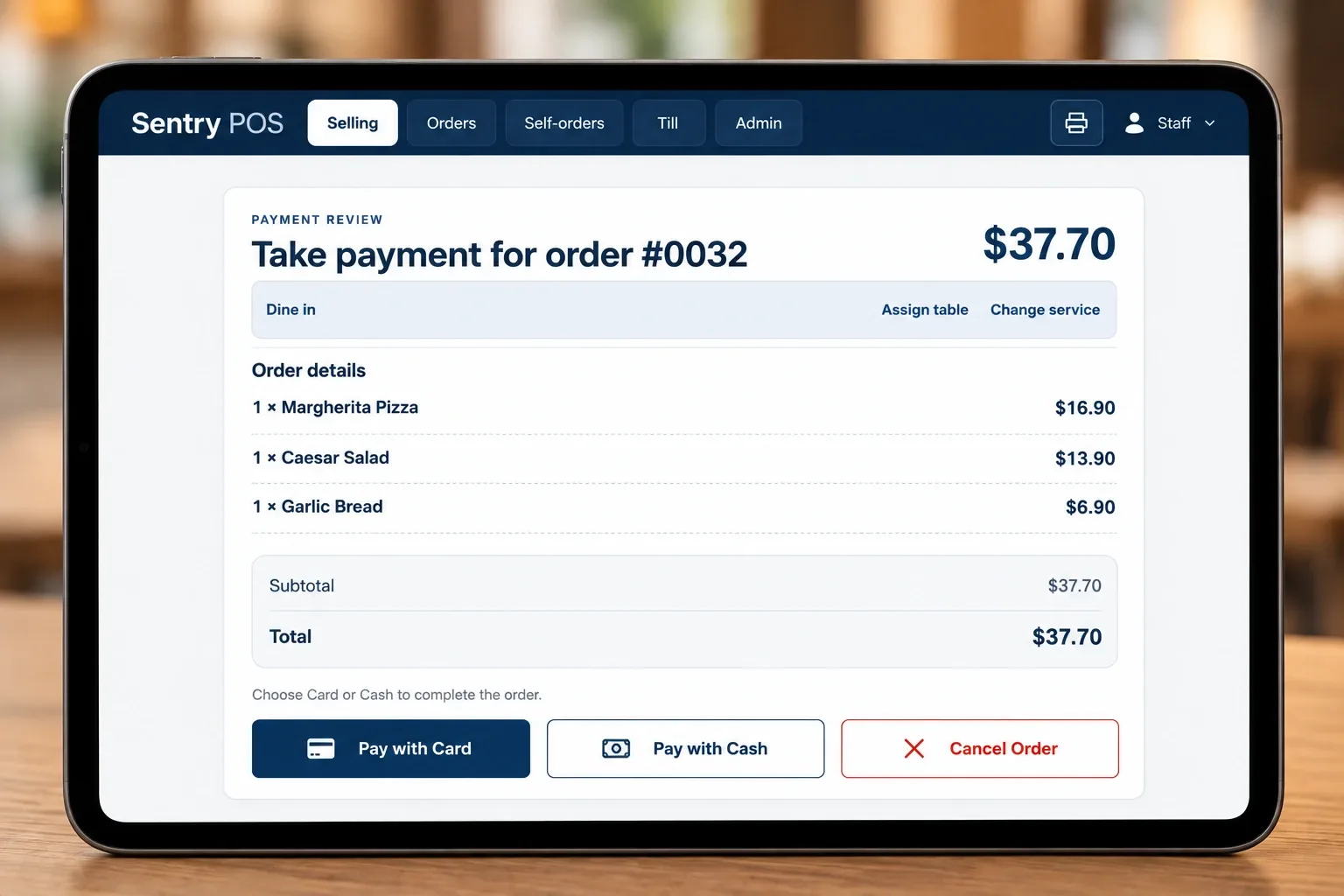
Check the order, then take payment.
Before an order is finalised, a review screen shows every item, the service type and the total — so your team can confirm everything is right before moving on.
Sentry Lite is designed for integrated payments.
Self ordering
Let customers order at their own pace.
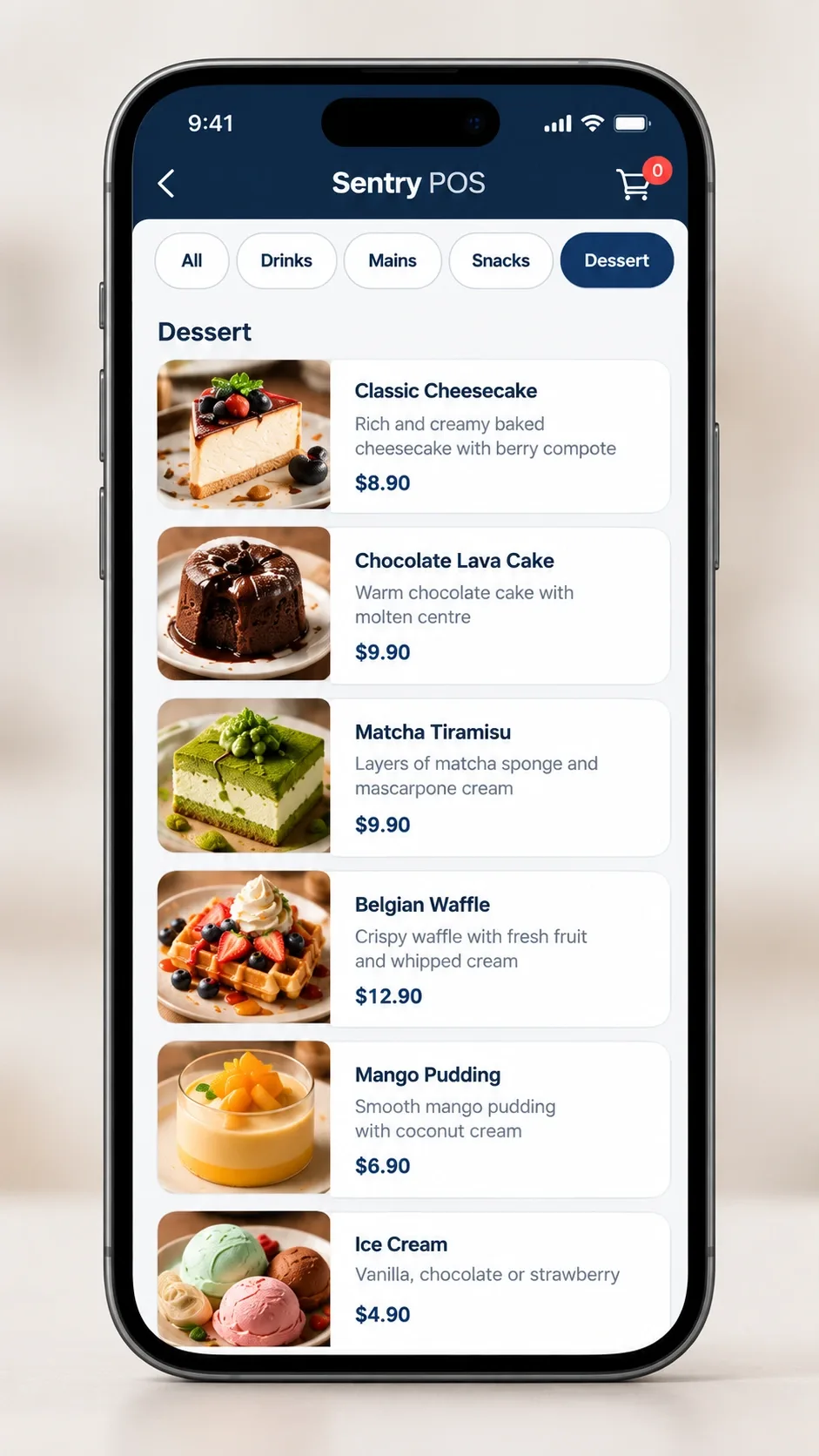
Put a QR code on each table. Customers scan it, browse your menu on their own phone, choose what they’d like and send the order — without downloading an app or waiting to catch someone’s eye.
Self-orders come through to Sentry Lite alongside your counter orders, so your team can keep service moving.
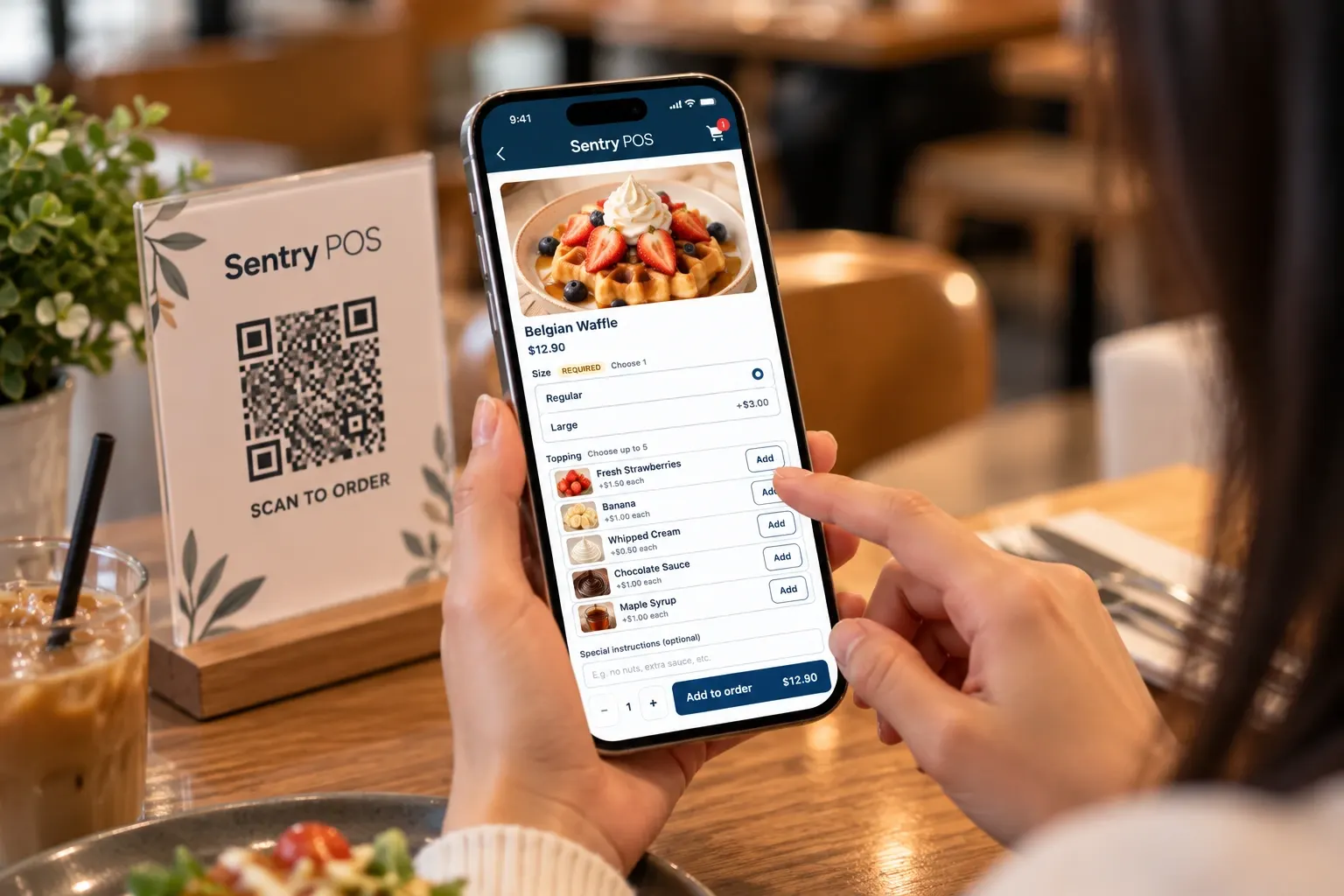
Scan
Customers scan the QR code at their table.
Browse
The menu opens on their phone, with photos of each item.
Customise
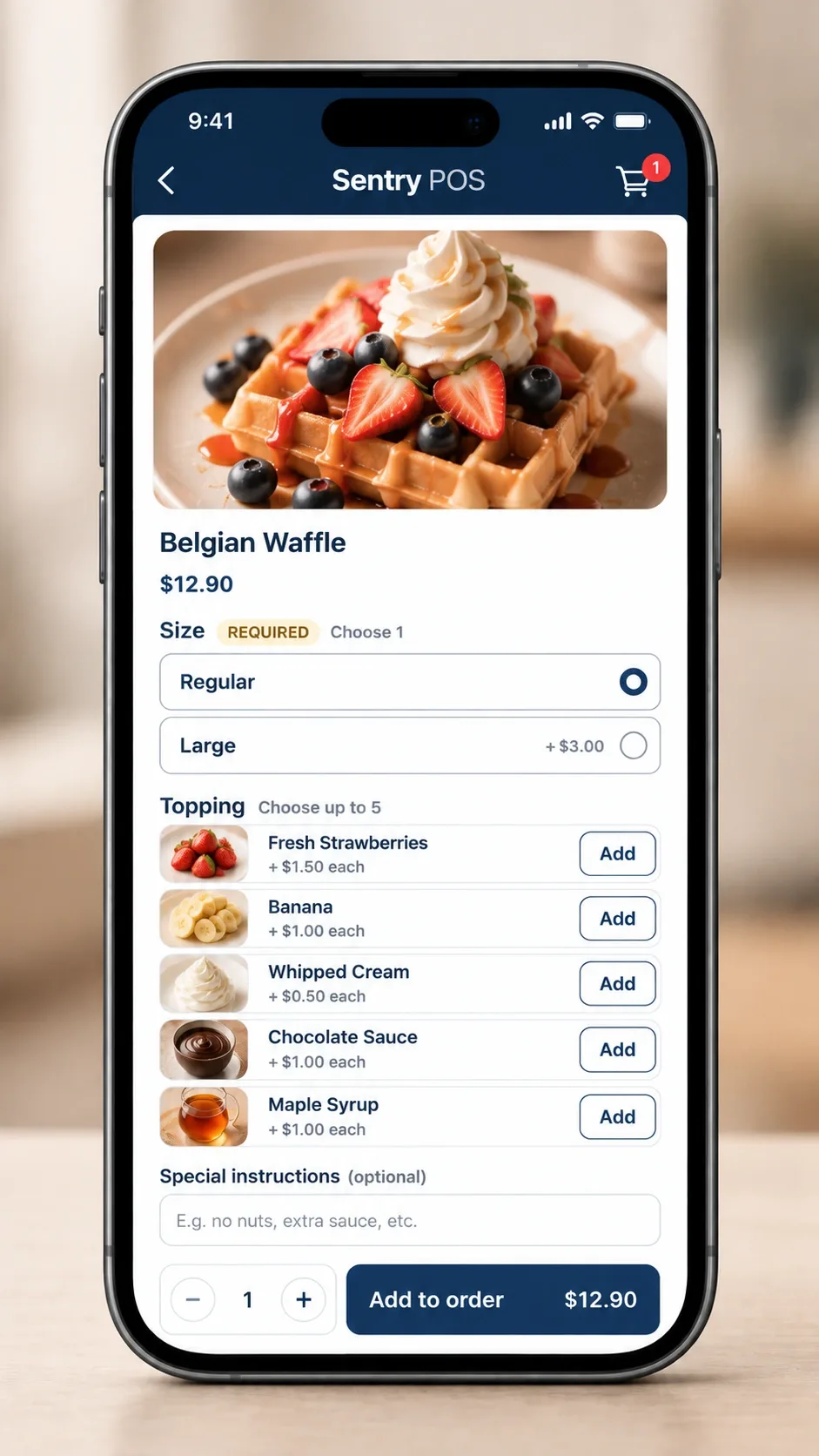
They choose options and add-ons, and add a note where needed.
Order
They submit the order — no app download required.
Built for the phone in their hand.
A clean mobile menu with item photos, clear prices and simple choices — designed to be easy to use at the table.
- Menu categories with item photos
- Required and optional choices
- Add-ons with clear pricing
- Special instructions
- No app to download
Order to kitchen
From order to kitchen, without the extra steps.
Sentry Lite isn’t just a digital menu. It’s the POS software that runs your counter — orders print where they’re needed and the cash drawer works as part of the sale.
Receipt printing
Print customer receipts at the counter.
Kitchen printing
Send order tickets to a kitchen printer — optional, if your venue uses one.
Cash drawer
The cash drawer is part of the cash sale workflow.
Order workflow
Manage open orders and look back over order history.
Already have a printer or cash drawer? Ask about your existing hardware when you book a demo.
Everyday features
The day‑to‑day, handled.
Practical tools for every shift — and nothing more complicated than it needs to be.
Modifiers & Options
Flexible menu choices and add-ons, such as sizes and extras, with price adjustments where needed.
Discounts & Promotions
Apply everyday discounts and promotional pricing to orders.
Surcharges
Operational surcharge support, such as for weekends and public holidays.
Order History
Review previous orders when you need to check something.
Till Reconciliation
Reconcile the till at the end of the day.
Printing
Receipt and kitchen printing as part of the order workflow.
See how Sentry Lite fits your venue.
Book a demo and we’ll walk you through counter ordering, QR self-ordering and printing — and answer your questions about your setup.